
ESBCalc Pro9.4.0 - Download
You'll be able to download in few seconds.
Publisher Description
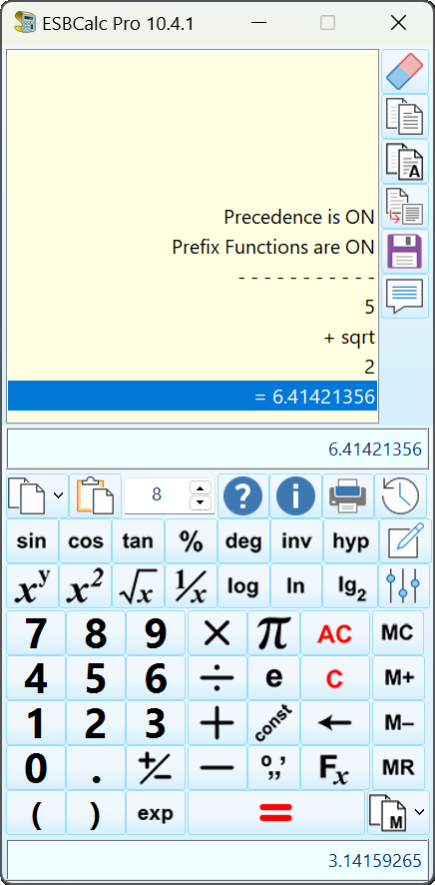
ESBCalc Pro is an Enhanced Windows Scientific Calculator with Infix Processing, Exponential Notation, Brackets, Scientific Functions, Memory, Optional Paper Trail, Printing, Result History List, Integrated Help and more. Functions include Trigonometric, Hyperbolic, Logarithmic - Base 10, Base 2, Natural - Random Number and many more. Also includes heaps of built-in as well as user-defined constants, Hexadecimal Conversions and Fraction Conversions. Also allows for Floating Decimal Point, optionally start at last position and other improvements to the User Interface.
The calculator can have Prefix Functions turned on so that when calculating log (25), you can enter log 25 rather than the traditional 25 log.
The Calculator also has an expression editor that allows the data that has been entered can be then edited and recalculated. Plus you have a dialog that supplies descriptive statistics such as Mean (Average), Median, Variance, Standard Deviation, Skew and Kurtosis. Plus it can now also calculate the time between two dates and/or times.
Precedence can be turned off for those who do not wish it.
Optimized for Windows XP/Vista/7/8 and above in 800x600 (or better).
Registered version also includes Electronic Documentation and PDF designed to produce Printed Documentation. A Portable Version is also available to Registered Users that easily allows the Calculator to be used on Removable/Portable Drives.
Register only once for the life of the product.
Also available as part of the ESBCalc Pro Suite which includes ESBUnitConv Pro, ESBFinCalc Pro and ESBProgCalc Pro
About ESBCalc Pro
This Calculators & Converters program is available in English. It was last updated on 29 September, 2026. ESBCalc Pro is compatible with the following operating systems: Windows.
The company that develops ESBCalc Pro is ESB Consultancy. The latest version released by its developer is 9.4.0.
The download we have available for ESBCalc Pro has a file size of 3.1 MB. Just click the green Download button above to start the downloading process. The program is listed on our website since 2018-07-18 and was downloaded 0 times. We have already checked if the download link is safe, however for your own protection we recommend that you scan the downloaded software with your antivirus. Your antivirus may detect the ESBCalc Pro as malware if the download link is broken.
How to install ESBCalc Pro on your Windows device:
- Click on the Download button on our website. This will start the download from the website of the developer.
- Once the ESBCalc Pro is downloaded click on it to start the setup process (assuming you are on a desktop computer).
- When the installation is finished you should be able to see and run the program.
Program Details
System requirements
Download information
Pricing
Version History
version 9.4.0
posted on 2018-07-18
Improved support for Larger Font Sizes
version 9.3.0
posted on 2018-01-23
Minor Improvements.
version 9.2.0
posted on 2017-01-13
Improvements to UI. Improved and Additional Physical Constants.
version 9.0.4
posted on 2015-01-30
Minor updates to User Interface
Disclaimer
External Download
We do not host ESBCalc Pro on our servers. We did not scan it for viruses, adware, spyware or other type of malware. This app is hosted by the software publisher and passed their terms and conditions to be listed there. We recommend caution when installing it.
The external download link for ESBCalc Pro is provided to you by apps112.com without any warranties, representations or guarantees of any kind, so access it at your own risk.
If you have questions regarding this particular app contact the publisher directly. For questions about the functionalities of apps112.com contact us.
